Picture a normal prep week.
You solve two problems on LeetCode, attempt a contest problem on Codeforces, bookmark a graph question for later, forget to revise an older binary-search problem, and then stare at a huge list wondering what to do next.
That is the moment Preptin is built for.
Most interview prep tools help you collect more problems. Preptin asks a slightly sharper question:
Is your practice actually moving you toward interview readiness?
Solving more problems is useful, but it is not the full system. The hard part is reading the mess:
- What did you solve?
- What did you only attempt?
- Which topics are still weak?
- What needs revision before it fades?
- What should you do today?
- Is your prep aligned with the company or role you care about?
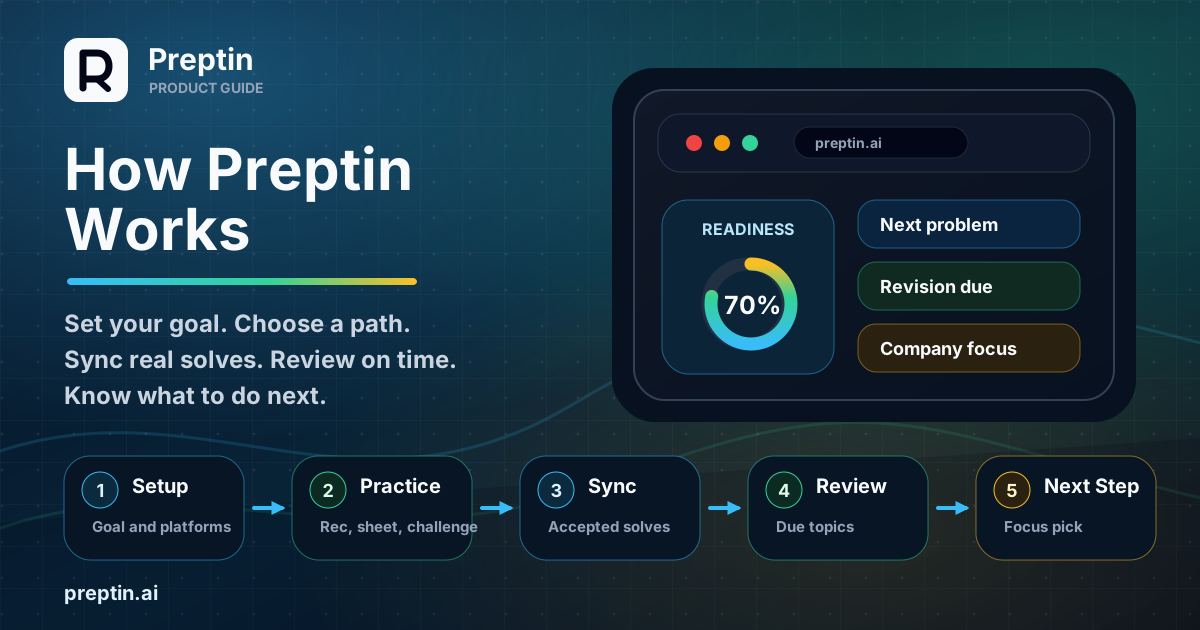
Preptin connects those scattered pieces into one prep loop. It starts with your goal, syncs accepted submissions, turns activity into dashboard signals, schedules revision, and helps you choose the next useful step through recommendations, weak-topic signals, Prep Challenge, or Interview Prep Sheets.
Before and After
Here is the shift Preptin is trying to create:
| Without Preptin | With Preptin |
|---|---|
| Solves are scattered across platforms. | Accepted submissions become one practice history. |
| You rely on memory to know weak topics. | The dashboard highlights focus areas and readiness signals. |
| Revision depends on discipline alone. | Due items come back into view at the right time. |
| The next problem is a guess. | Recommendations and challenges suggest useful next steps. |
| Progress stays private and fragmented. | Public profile and export workflows can turn work into proof where enabled. |
The Simple Version
Preptin works in six steps:
- Set up your prep profile.
- Choose a useful next action: a recommendation, weak topic, Prep Challenge, or Sheet.
- Install the browser extension where needed, then connect and verify your coding platforms.
- Sync accepted submissions into your practice history.
- Use dashboard signals to understand readiness, weak areas, and revision due.
- Keep solving, reviewing, and adjusting based on the next signal.
The goal is not to make prep more complicated. The goal is to make your existing practice easier to read, revise, and improve.
1. Setup Gives Preptin the Right Context
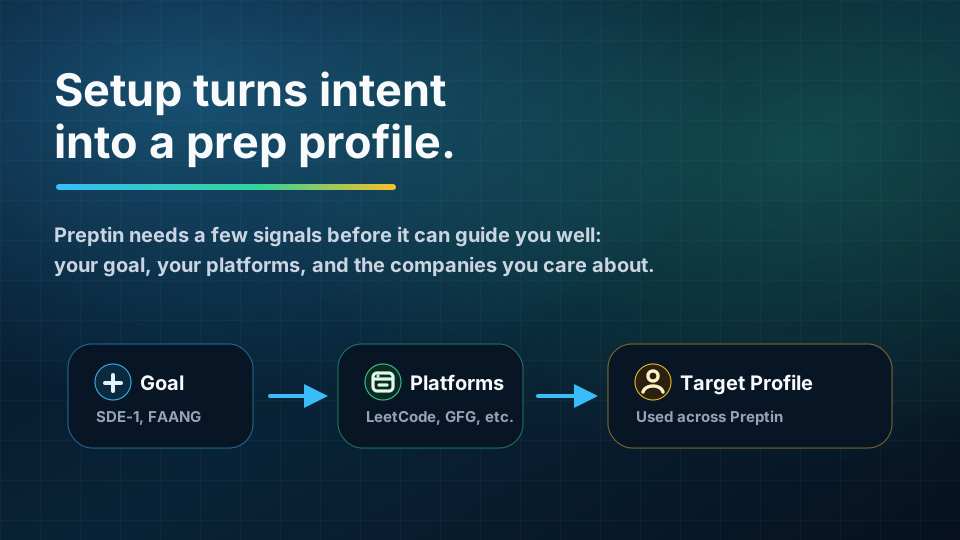
Preptin starts by understanding what you are preparing for.
This matters because interview prep is not the same for everyone. A student preparing for campus placements, a candidate targeting product-company SDE-1 roles, and someone revising for company-specific interviews may all need different paths.
During setup, Preptin uses signals such as:
- Your target role or preparation goal.
- Your preferred coding platforms.
- Browser extension readiness for supported platform flows.
- Your current practice history.
- Your target companies or company category.
- Your setup progress and platform verification state.
These signals help Preptin build a prep profile. That profile is used across the product: dashboard readiness, revision, recommendations, Prep Challenge, Sheets, and target-company views.
Setup is not meant to be a long form. It is meant to give Preptin enough context to stop treating every candidate the same way.
Why Setup Matters
Without setup, a prep tool can only show generic lists. With setup, Preptin can start answering more useful questions:
- Which next action makes the most sense?
- Which topics matter for your goal?
- Which submissions should count toward progress?
- Which weak areas should be prioritized?
- Which revision items are most important right now?
Good prep guidance starts with context.
2. Preptin Gives You Multiple Ways to Start
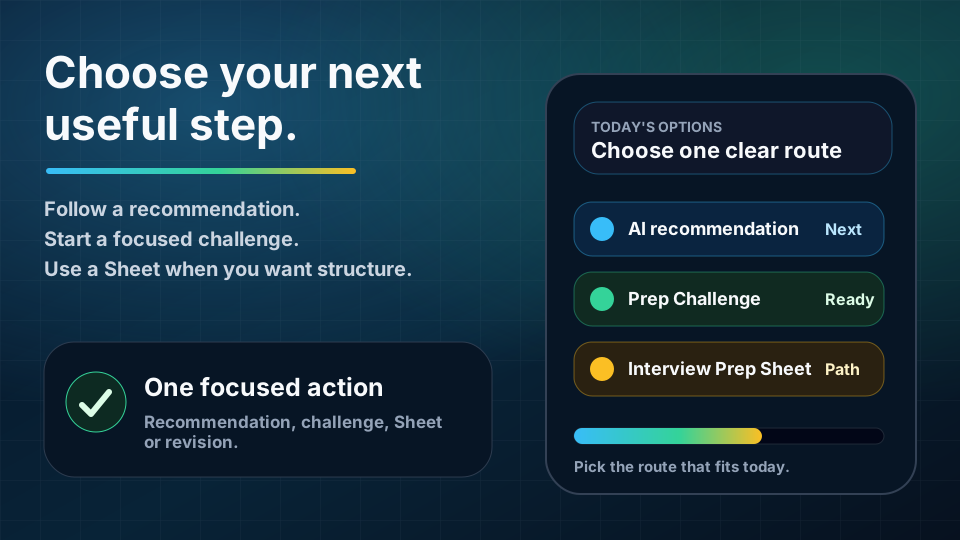
Once Preptin has enough context, the next step does not have to come from only one place.
Some users want a structured path. Some want Preptin to pick the next useful problem. Some need to work on a weak topic. Some prefer a focused challenge. Preptin supports all of those routes.
Depending on your state, Preptin can guide you through:
- AI-recommended problems.
- Weak-topic or weak-problem suggestions.
- Prep Challenge.
- Daily practice prompts.
- Interview Prep Sheets.
- Due revision items.
The important point is not that every candidate must start with the same flow. The important point is that Preptin gives your next session a clear reason.
Where Interview Prep Sheets Fit
Interview Prep Sheets are useful when you want a structured role, company, or preparation path.
For example, a candidate may use a product-company SDE-1 sheet, a company-specific sheet, a campus-placement sheet, or an advanced FAANG-style sheet. A Sheet can organize topics, problems, progress, and where to continue.
Company-specific Sheets are not meant for memorizing question lists. They are useful for pattern exposure: topics, difficulty ranges, and problem styles that often matter for that interview direction.
That makes Sheets valuable, but they are still one route through the product. If your dashboard already knows your weak area, a recommendation, weak-topic suggestion, due revision item, or Prep Challenge may be the better next action for today.
3. Accepted Submissions Become Prep Memory
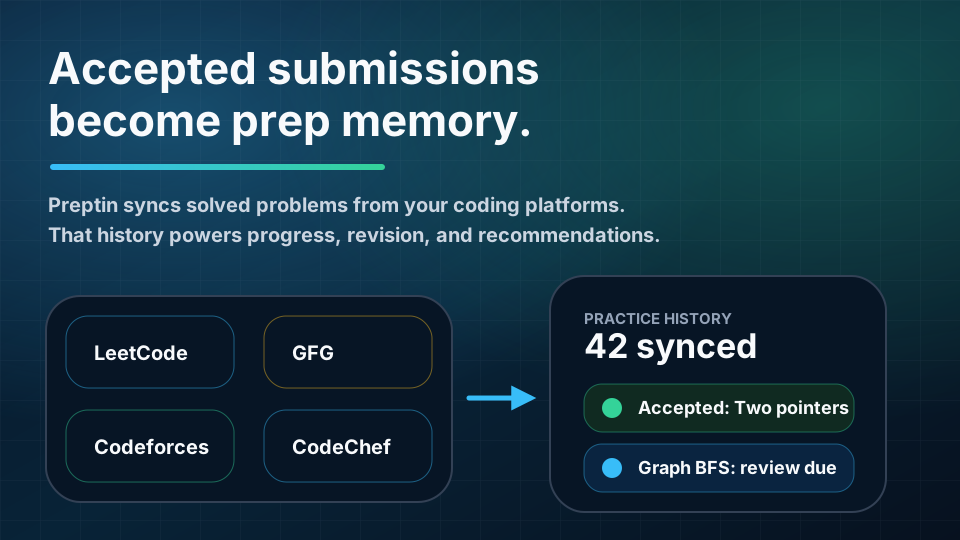
Candidates often solve problems across several platforms: LeetCode, Codeforces, CodeChef, GeeksforGeeks, and others.
That activity is valuable, but it is usually scattered. One platform knows about one part of your practice. Another platform knows another part. Your own memory fills in the gaps until it does not.
Preptin turns accepted submissions into prep memory.
When submissions are synced, Preptin can use them to understand:
- Which problems you solved.
- Which platforms they came from.
- Which topics are represented.
- Which topics are missing.
- Which problems may need revision.
- Which areas are improving over time.
This is one of the most important parts of the system. Preptin becomes more useful when it can see real practice, not just manually entered intent.
Why Accepted Submissions Matter
Accepted submissions are evidence.
They do not prove you are fully interview-ready by themselves, but they are stronger than a vague memory of "I think I practiced graphs last week."
When Preptin sees accepted submissions, it can connect practice to product features:
- Dashboard progress.
- Active path or challenge progress.
- Revision scheduling.
- Topic signals.
- AI recommendations.
- Public profile proof of work.
- GitHub export and progress artifacts, where enabled.
The more accurate your practice history is, the better your prep system becomes.
Platform Verification Builds Trust
Preptin also includes platform verification flows. Verification helps confirm that the connected platform identity belongs to you.
This is especially important when your progress is used for proof-of-work features such as public profiles, readiness signals, or exported progress. If your profile claims practice history, that history should be connected to verified activity where possible.
The browser extension is part of that setup for supported flows. It can help complete verification from the coding-platform page, detect the current problem, and support submission capture where available.
4. The Dashboard Converts Activity Into Signals
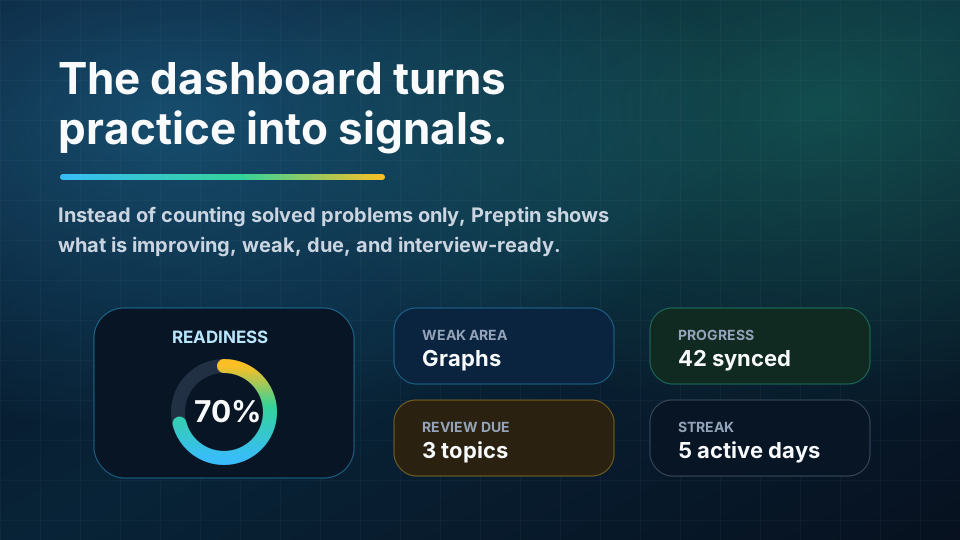
The dashboard is where your practice becomes easier to understand.
A raw problem count can be motivating, but it is incomplete. Solving 300 problems does not automatically tell you whether you are ready for a specific interview. It does not tell you which topics are weak, what needs revision, or whether your recent effort is consistent.
Preptin's dashboard is designed to answer practical questions:
- What should I focus on today?
- Which topics are weak?
- Which problems are due for revision?
- Am I building consistency?
- Is my setup complete?
- What should I continue next?
- What does my target-company readiness look like?
The dashboard brings these signals into one view so you do not need to reconstruct your prep state manually.
Readiness Is a Signal, Not a Guarantee
Readiness should not be treated as a promise that an interview will go a certain way. Interviews vary. Companies vary. Luck and communication matter.
In Preptin, readiness is best understood as a signal based on your available prep data.
It can help show whether your practice is becoming broader, more consistent, and better aligned with your goals. It can also warn you when important areas are still thin.
That makes readiness useful as a compass, not a certificate.
Weak Areas Are More Useful Than Vanity Metrics
It feels good to see a large solved count. But when time is limited, weak-area signals are often more useful.
If Preptin shows that graphs, dynamic programming, binary search, or revision recall need attention, that gives you a clearer next action. You can spend less time wondering and more time working.
The dashboard is meant to reduce that daily decision cost.
5. Revision Keeps Solved Problems Alive
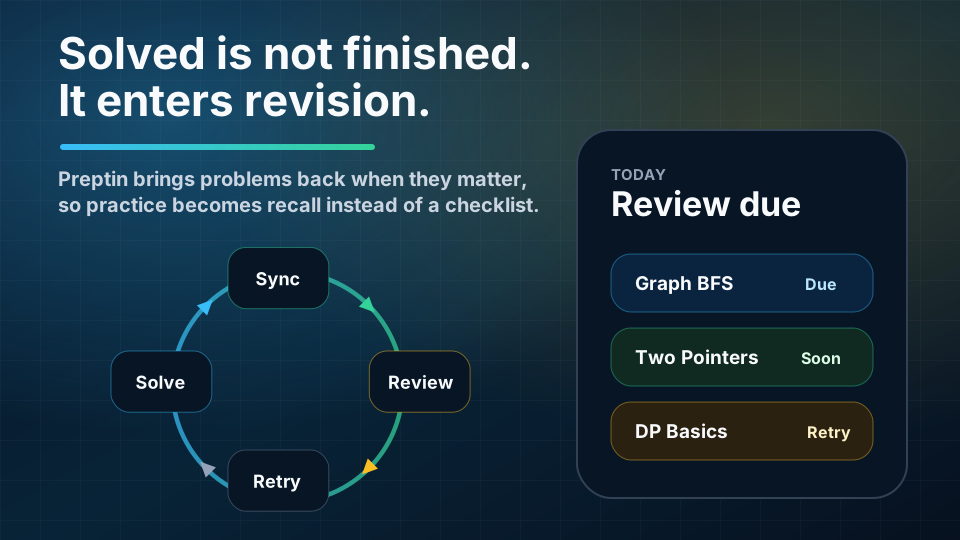
Solving a problem once is not the same as being able to solve it under interview pressure.
Many candidates recognize this feeling: you solved a problem last month, but when a similar pattern appears later, the idea feels blurry. You remember seeing it, but you cannot rebuild the solution quickly.
That is why revision matters.
Preptin's revision schedule helps bring problems and topics back at the right time. Instead of leaving old solves buried in platform history, Preptin can surface due items so you can strengthen recall.
The loop is simple:
- Solve a problem.
- Sync or track the solve.
- Let Preptin schedule future review.
- Revisit the problem or pattern when due.
- Retry weak areas until recall improves.
This changes the meaning of a solved problem. It is no longer a one-time checkbox. It becomes part of a memory system.
Revision Is Where Confidence Gets Built
Confidence does not come only from solving new problems. It also comes from knowing that older patterns still make sense when you return to them.
Revision helps answer:
- Can I still solve this without looking?
- Do I remember the key insight?
- Can I explain the tradeoffs?
- Can I identify this pattern in a new problem?
- Did I only memorize the solution, or did I understand it?
For interviews, that distinction matters.
6. Recommendations Help You Pick the Next Useful Step
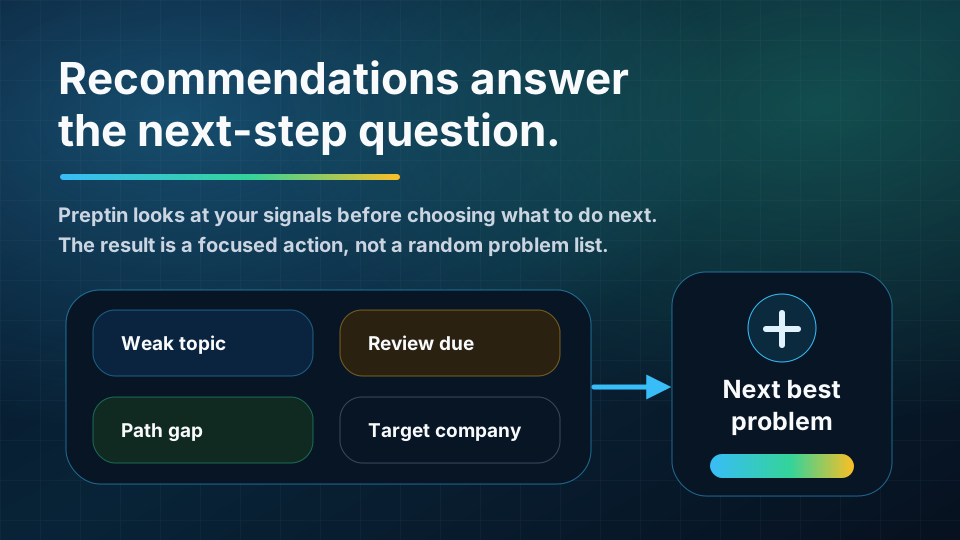
One of the hardest parts of prep is deciding what to do next.
Should you solve a new problem? Continue a sheet? Revise graphs? Work on a company-specific path? Revisit something you solved badly? Practice a challenge?
Preptin recommendations are designed to reduce that uncertainty.
They can use signals such as:
- Weak topics.
- Active path or challenge gaps.
- Due revision items.
- Target company focus.
- Recent activity.
- Submission history.
- Readiness signals.
The recommendation is not meant to be random. It should be a focused next step that makes sense given your current state.
Better Recommendations Need Better Signals
Recommendations are only as good as the signals behind them.
That is why the earlier parts of Preptin matter. Setup gives context. Submission sync gives evidence. Revision exposes recall gaps. Sheets, challenges, weak topics, and recommendations provide different ways to act. The dashboard summarizes the state.
Together, those signals help Preptin suggest the next useful action.
How the Main Features Connect
Here is the product loop in one view:
| Product Area | What It Does | Why It Matters |
|---|---|---|
| Setup | Captures your goal, platforms, and target context | Helps Preptin personalize the rest of the product |
| Next Actions | Surfaces recommendations, weak topics, challenges, and sheets | Reduces random practice and daily decision fatigue |
| Interview Prep Sheets | Gives you structured role or company prep paths | Improves topic coverage when you want a longer path |
| Platform Verification | Confirms platform identities where needed | Makes synced progress more trustworthy |
| Submission Sync | Turns accepted solves into practice history | Powers progress, revision, and recommendations |
| Dashboard | Shows readiness, weak areas, activity, and due work | Helps you understand your prep state quickly |
| Revision Schedule | Brings old problems back at the right time | Builds recall instead of one-time completion |
| Recommendations | Suggests the next useful problem or topic | Turns signals into a concrete next step |
| Public Profile | Presents progress and proof of work | Helps make practice visible beyond private dashboards |
| GitHub Export | Exports selected progress artifacts | Helps preserve a proof-of-work trail |
The important point is that these features are connected. Preptin is not just a problem list, not just a tracker, and not just a dashboard. It is a system for turning practice activity into clearer preparation decisions.
A Practical Example
Imagine a candidate preparing for product-company SDE-1 interviews.
They start by completing setup and choosing one useful first action. That might be a recommendation, a weak-topic suggestion, a Prep Challenge, or a relevant sheet.
They connect their coding platforms and sync accepted submissions. Preptin now sees that they have solved many array and string problems, but graph coverage is thin. It also sees that a few older two-pointer problems are due for review.
On the dashboard, the candidate sees:
- Graphs are a weak area.
- Three revision items are due.
- Their active path or challenge has partial progress.
- Their recent streak is improving.
- The next recommended problem is from a weak topic.
Instead of asking "What should I do today?", they have a concrete plan:
- Complete today's due revision.
- Solve the recommended graph problem.
- Continue the active sheet, challenge, or weak-topic path if it still fits.
- Check readiness again after progress syncs.
That is the kind of loop Preptin is built to support.
What Preptin Is Not Trying to Do
Preptin is not trying to replace deliberate practice. You still need to think deeply, write code, debug, revise, and explain your solutions.
Preptin is also not trying to make interview prep feel like a magic score. Readiness is a signal. Recommendations are guidance. Sheets are paths. Challenges are focused practice. Revision is a system.
The actual improvement still comes from your work.
Preptin's job is to make that work easier to organize and harder to lose.
Best Way to Use Preptin in Your First Week
If you are new to Preptin, do not try to use every feature on day one.
A simple first-week flow is enough:
- Complete setup.
- Connect your main coding platform.
- Choose one starting mode: recommendation, weak topic, Prep Challenge, or Sheet.
- Sync accepted submissions.
- Check the dashboard for weak areas and due revision.
- Follow one recommendation per session.
- Review due items before solving new problems.
This gives Preptin enough signal to start becoming useful while keeping your prep routine simple.
Frequently Asked Questions
Do I need to complete setup before using Preptin?
You can explore parts of the product without completing every setup step, but setup makes Preptin more useful. The more context Preptin has about your goal, platforms, and target companies, the better it can organize your prep.
Are Interview Prep Sheets just problem lists?
No. A normal problem list is static. Preptin Sheets are meant to be tracked paths. They can connect to progress, topic coverage, revision, and recommendations. They are useful when you want structure, but they are not the only way to use Preptin.
Why does Preptin sync accepted submissions?
Accepted submissions are real practice evidence. Syncing them helps Preptin understand what you have solved, which topics are represented, and what should influence revision or recommendations.
What does readiness mean?
Readiness is a directional signal based on your available prep data. It is not a guarantee of interview performance. It helps you understand whether your practice is becoming more complete and aligned with your goals.
Should I only follow recommendations?
No. Recommendations are meant to help when you are unsure what to do next. You can still follow a sheet, revise manually, work on challenges, or choose a topic yourself.
Why is revision such a big part of Preptin?
Because interviews test recall under pressure. If you only solve new problems and never return to old patterns, your solved count can grow while your recall stays weak. Revision helps close that gap.
Final Takeaway
Preptin is built around one idea:
Interview prep should become clearer as you practice.
Every solve, revision, recommendation, challenge, and sheet should make the next step easier to choose. Instead of scattered activity across platforms and lists, Preptin helps turn your work into a connected system:
- Setup gives context.
- Recommendations, challenges, and Sheets give direction.
- Sync gives evidence.
- Dashboard signals give clarity.
- Revision builds recall.
- Recommendations guide the next step.
That is how Preptin turns coding practice into interview readiness.