You should not have to guess what changes when you upgrade.
If a product has a free plan and a paid plan, the difference should be easy to understand. Not vague. Not hidden behind shiny words. Not reduced to "Premium has more AI."
Preptin has two main ways to use the product:
- Explorer: the free plan for basic tracking and recent prep visibility.
- Premium: the paid plan for deeper readiness, AI-powered guidance, advanced revision, snippets, GitHub export, and longer history.
This guide explains the difference in plain English: what stays free, what Premium adds, who should stay on Explorer, and when upgrading starts to make sense.
The Short Version
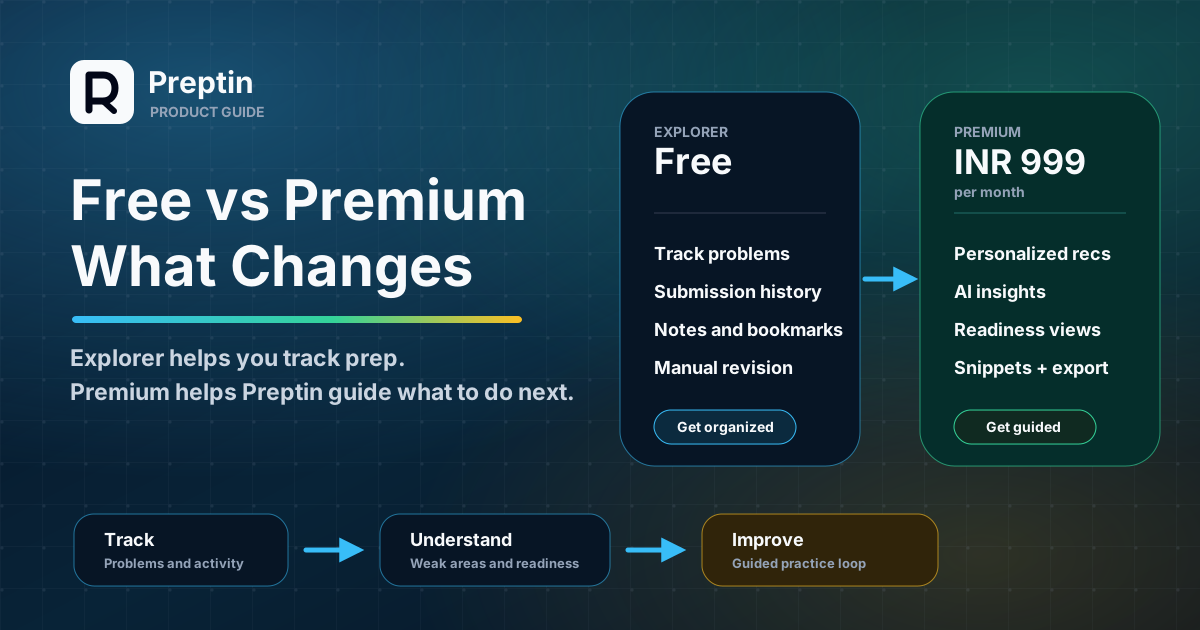
Preptin Explorer is for getting organized.
Preptin Premium is for getting guided.
Explorer helps you track problems, submissions, notes, bookmarks, recent activity, and manual revision. It is useful if you want a lightweight place to see what you are doing.
Premium adds the intelligence layer: personalized recommendations, AI weak-pattern insights, richer problem context, advanced revision prioritization, topic and company readiness, snippets, smart revision alerts, GitHub export, and 365-day analytics history.
Here is the simplest plan summary:
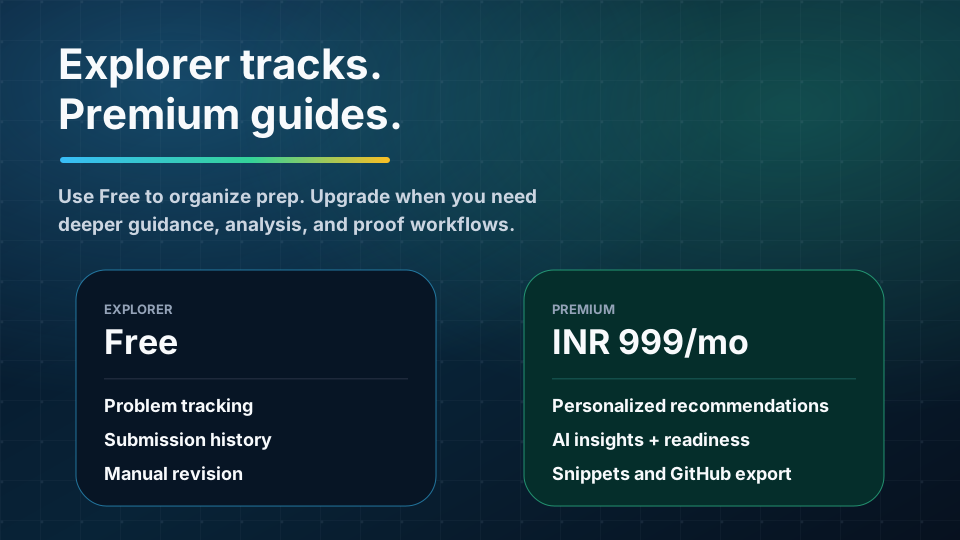
| Plan | Best For | Price |
|---|---|---|
| Explorer | Tracking problems, submissions, notes, bookmarks, recent activity, and manual revision | Free |
| Premium | Personalized guidance, AI insights, readiness analytics, snippets, GitHub export, and smarter revision | ₹999/month or ₹9,990/year |
And here is what changes when you upgrade:
| Area | Explorer | Premium |
|---|---|---|
| Analytics | Recent dashboard history | 365-day dashboard history and trends |
| Recommendations | Basic recommendation cards | Personalized recommendations using weakness, targets, readiness, and revision context |
| Revision | Manual and basic revision planning | Advanced prioritization, due queues, and smart alerts |
| AI insights | Not included | 100 AI credits/month with automatic submission reviews |
| Readiness | Basic progress and target context | Topic, company, and interview-readiness insights |
| Workflow | Notes and bookmarks | Snippets, reusable templates, and GitHub export |
The right plan depends on what problem you are trying to solve: getting organized or getting guided.
What You Can Do for Free
The free plan is called Explorer because it is meant to help you start exploring your prep state without paying first.
Explorer is not meant to be a blank demo. It gives you useful basics:
- Problem tracking.
- Problem notes and bookmarks.
- Submission history.
- Recent dashboard activity.
- Basic recommendation cards.
- Manual revision planning.
- Basic topic exposure.
- Basic target context.
- Basic reminders.
This is enough for a lot of early prep.
If you are still figuring out your routine, connecting platforms, trying Preptin for the first time, or getting your problem history organized, Explorer is a reasonable place to start.
The free plan answers questions like:
- What have I solved recently?
- Which problems am I tracking?
- What notes or bookmarks do I want to keep?
- Can I manually add problems to revision?
- Can I see basic activity and progress?
- Can I get some basic next-problem suggestions?
That is useful. Many candidates need structure before they need advanced personalization.
Where Explorer Has Limits
Explorer is intentionally lighter.
It can help you track prep, but it is not designed to fully interpret your preparation for you.
The limits usually show up when you start asking deeper questions:
- Which weak areas deserve priority now?
- Which recommendation is best for my target company or role?
- What patterns did my accepted submissions reveal?
- Which mistakes keep repeating across submissions?
- How ready am I for a specific company direction?
- What should come back for revision automatically?
- Can I reuse snippets and templates across problems?
- Can I export my progress into a proof-of-work trail?
Explorer gives you the base workflow. Premium gives you more of the reasoning layer around that workflow.
That distinction matters because Preptin is not only a problem tracker. The broader product goal is to turn practice into interview readiness.
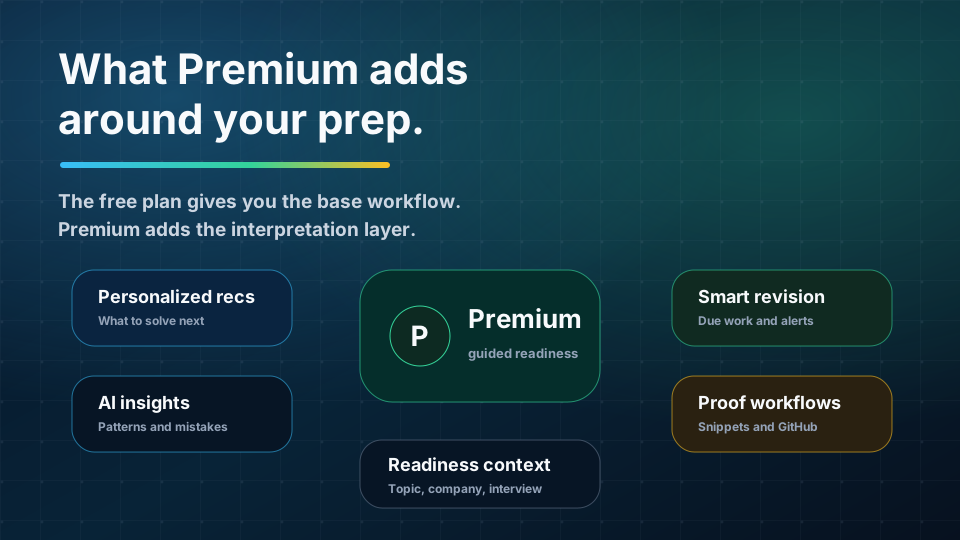
What Premium Adds
Premium is for users who want Preptin to do more than record activity.
It adds deeper personalization, AI analysis, longer history, and workflow tools that help your practice become easier to understand and reuse.
Current Premium pricing is:
| Plan | Price |
|---|---|
| Premium Monthly | ₹999/month |
| Premium Yearly | ₹9,990/year |
Annual billing includes two months free compared with paying monthly for a full year.
Here is the Premium upgrade in a more practical view:
| Premium Area | What It Unlocks | Why It Matters |
|---|---|---|
| Analytics | 365-day prep history | Lets you see trends beyond recent activity |
| Recommendations | Personalized next-problem guidance | Reduces random problem selection |
| AI insights | 100 AI credits/month | Helps explain patterns, mistakes, and weak concepts |
| Revision | Advanced prioritization and smart alerts | Brings older solves back before they fade |
| Readiness | Topic, company, and interview-readiness context | Makes progress easier to interpret |
| Snippets | Personal reusable templates | Helps reuse patterns faster |
| GitHub export | Exported prep code trail | Preserves selected work as proof |
In short: Premium is where Preptin becomes more personalized, more analytical, and more workflow-complete.
1. Longer Analytics History
Explorer gives recent dashboard history.
Premium gives 365-day analytics history.
That matters if your prep is not a one-week sprint. Many interview journeys stretch across months. You may solve consistently for a while, pause during exams or work, return later, and then need to understand what changed.
Longer history helps answer:
- Are you becoming more consistent?
- Which topics improved over time?
- Which areas keep returning as weak?
- Did your revision habit hold up?
- Are you preparing differently now than you were two months ago?
Recent history is enough for a quick check-in. Longer history is better when you want trend visibility.
2. Personalized Recommendations
Explorer can show basic recommendation cards.
Premium recommendations can use more of your connected prep context:
- Weak topics.
- Target company or role.
- Readiness context.
- Revision needs.
- Recent practice history.
- Problem metadata.
This changes the purpose of recommendations.
Basic recommendations can help you avoid staring at an empty screen. Personalized recommendations are meant to answer a sharper question:
What should I practice next based on my actual prep state?
That can mean a new problem, a weak topic, a revision-like pick, or a target-aligned problem that makes sense for your current level.
Premium is most useful here if you often waste time choosing what to solve.
3. AI Submission Insights
Explorer keeps submission history.
Premium adds AI submission insights.
That means supported submissions can be reviewed for deeper learning context such as:
- Approach notes.
- Complexity.
- Key patterns.
- Mistakes.
- Missing skills.
- Weak concepts.
- Learning value.
Premium currently includes 100 AI credits/month. New extension-captured submissions can also be analyzed automatically within daily and monthly plan limits.
This is different from simply seeing that a submission was accepted.
An accepted solve says, "You solved it."
AI insight tries to answer, "What did this solve reveal?"
That difference becomes important when you want Preptin to help you learn from your work, not only count it.
4. Better Problem Context
Explorer can show problem metadata and submission history.
Premium can add richer context around the problem:
- Patterns.
- Edge cases.
- Mistake themes.
- Learning value.
- Revision value.
- Interview relevance.
This helps when you do not want every problem to look equal.
Some problems are useful for learning a pattern. Some are useful for revision. Some are valuable because they resemble interview-style thinking. Some are not worth repeating once you have mastered the underlying idea.
Better context helps Preptin explain why a problem deserves attention.
5. Advanced Revision
Explorer supports manual and basic revision planning.
That means you can still add problems to revision and use the revision workflow without paying.
Premium adds more advanced revision support:
- Advanced revision prioritization.
- Due queues.
- Smart revision alerts.
- Automatic revision planning from accepted submissions where supported.
This matters because revision often fails when it depends only on memory.
If you have to remember which problems to revisit, you will eventually forget some of them. Premium revision is meant to bring the right problems back into view at the right time, especially when your accepted submissions show what you have been solving.
If recall is one of your biggest gaps, Premium revision may be one of the most useful upgrades.
6. Topic, Company, and Interview Readiness
Explorer gives basic topic exposure, basic target context, and basic progress visibility.
Premium adds deeper readiness views:
- Topic mastery.
- Weak concepts.
- Mistake patterns.
- Company readiness.
- Targeted strategy insights.
- Interview-readiness gaps.
- Next-step strategy.
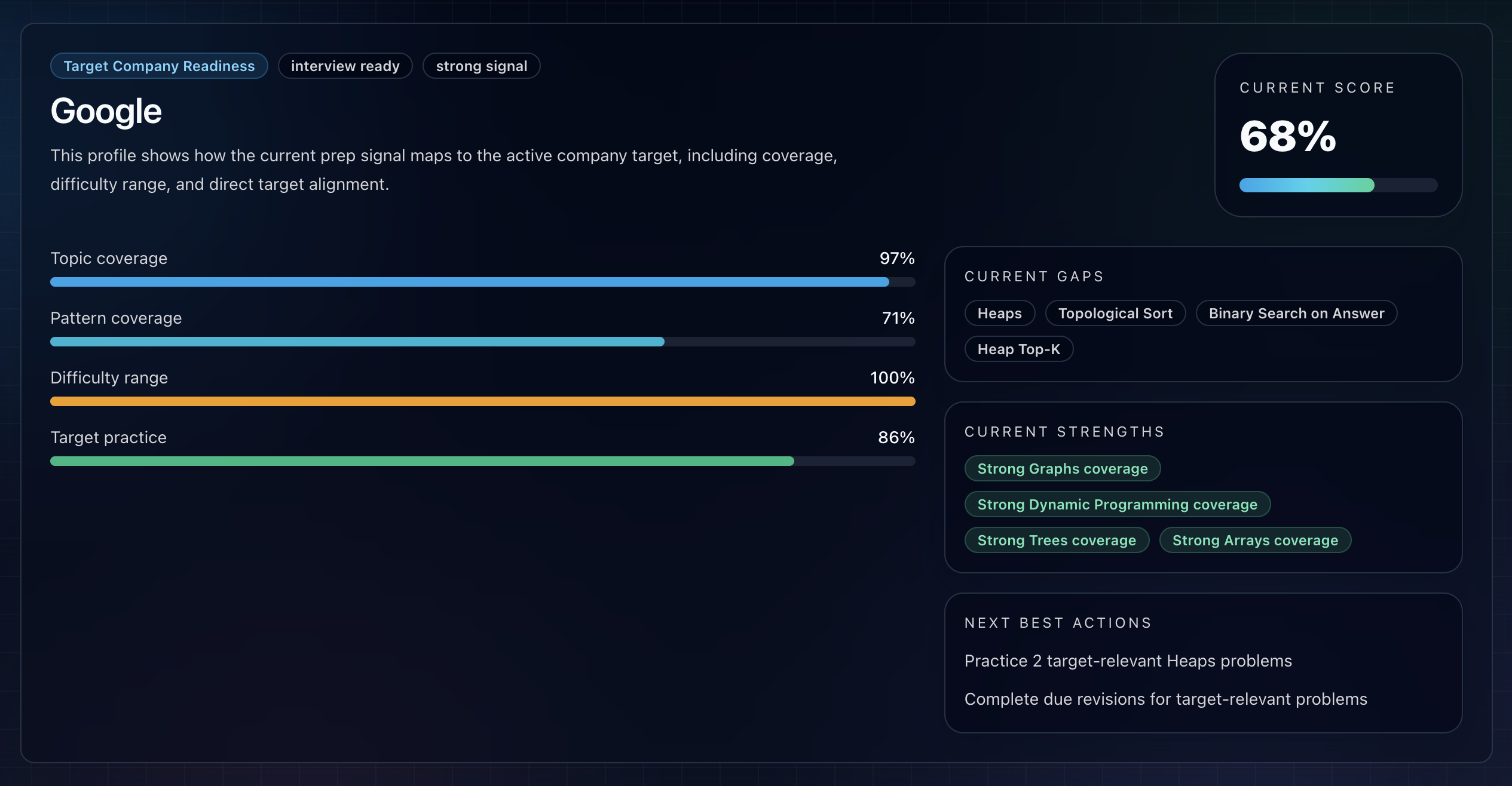
This is useful when you are preparing for a real deadline or a specific direction.
For example, if you are preparing for product-company SDE-1 roles, a generic solved count is not enough. You need to know whether your practice covers the topics, difficulty levels, revision habits, and target-relevant problem styles that matter for that direction.
Premium readiness is not a guarantee of interview success.
It is a clearer map of your preparation.
7. Snippets
Explorer supports notes and bookmarks.
Premium adds snippets.
Snippets are reusable code templates or pattern notes that you can bring back while practicing. They are useful when you repeatedly write the same setup or want to preserve a clean version of a pattern.
Examples:
- BFS template.
- Binary search structure.
- DSU implementation.
- Sliding-window skeleton.
- Modular arithmetic helper.
- Common graph traversal pattern.
Snippets are not meant to replace understanding. They are meant to reduce repetitive setup and help you reuse patterns faster.
If your prep includes building a personal DSA toolkit, snippets are a Premium workflow feature worth noticing.
8. GitHub Export
Premium includes GitHub export.
This is for candidates who want a visible proof-of-work trail from selected prep activity.
GitHub export can help preserve:
- Submission artifacts.
- Problem solutions.
- Progress history.
- A prep code trail.
This is not the same as a public profile, and it is not a guarantee that recruiters will inspect every commit.
But it can help users who want their preparation to leave a more durable technical footprint.
If proof of work matters to your personal brand, internship search, or interview story, GitHub export is one of the clearest Premium-only differences.
Free vs Premium by User Type
The right plan depends on your current prep stage.
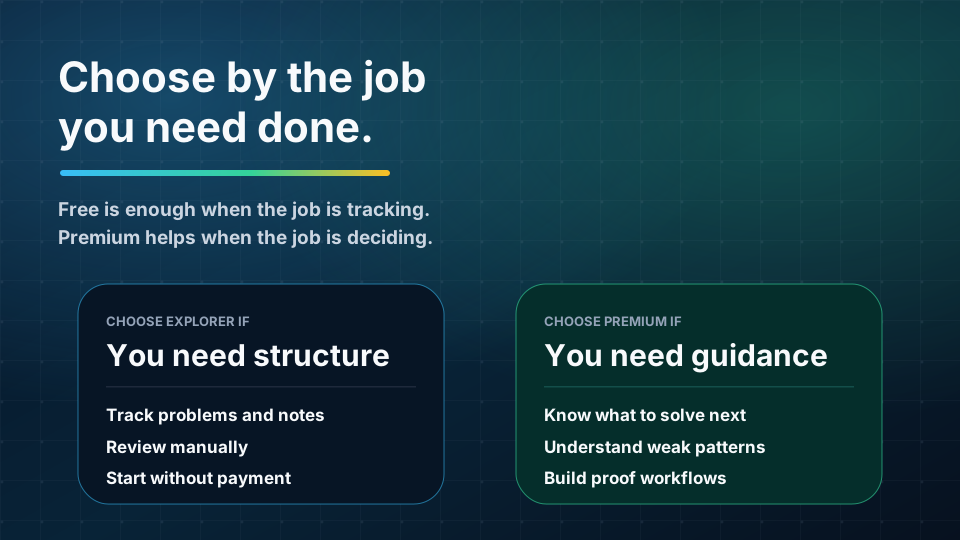
| Choose Explorer If | Choose Premium If |
|---|---|
| You are just starting with Preptin | You want personalized next-problem guidance |
| You mainly need problem tracking | You want AI to analyze supported submissions |
| You want basic submission history | You care about weak concepts and mistake patterns |
| You prefer choosing problems yourself | You want deeper readiness and company context |
| You only need manual revision | You want smarter revision and reminders |
| You are not yet solving consistently | You want longer analytics history |
| You do not need AI submission reviews | You want snippets and reusable templates |
| You are not ready to use snippets or GitHub export | You want GitHub export for proof of work |
Explorer is a good starting point when the main problem is organization.
Premium makes more sense when the main problem is decision-making, recall, analysis, and readiness.
What About the Premium Trial?
Preptin may offer a 7-day Premium trial to eligible users.
The trial is meant to help you test Premium before paying. It can include Premium features with a smaller AI-credit allowance, such as 20 trial AI credits, and does not require a payment method where the trial is available.
Use the trial to test the features that are hardest to understand from a pricing table:
- Do personalized recommendations feel useful?
- Do AI submission insights teach you something?
- Does the revision queue change your behavior?
- Do readiness views help you choose what to work on?
- Would snippets or GitHub export fit your workflow?
The best trial is not just clicking around. It is solving, syncing, reviewing, and seeing whether the product helps you make better decisions.
What About Offers and Coupons?
Sometimes eligible users may see an offer or coupon on the pricing page.
Offer eligibility can depend on account state, timing, plan, billing cycle, redemption history, and current product rules. If an offer is available, the pricing page should show the regular price, offer price, savings, and expiry details before checkout.
The important rule is simple:
Trust the price shown at checkout.
This blog explains the plan differences. The pricing page controls the current payable amount.
A Practical Way to Decide
Ask yourself what problem you are trying to solve.
If your problem is:
"I need one place to track my prep."
Start with Explorer.
If your problem is:
"I do not know what to solve next, what I am weak at, or what needs revision."
Premium is more likely to help.
If your problem is:
"I want AI review, readiness context, snippets, and export workflows."
Premium is the plan built for that.
If your problem is:
"I am not sure yet."
Start free or use the trial if you are eligible.
Frequently Asked Questions
Is Explorer actually useful, or only a demo?
Explorer is useful for basic tracking. You can track problems, keep notes and bookmarks, see submission history, use recent activity, and plan revision manually.
Can Free users use revision?
Yes. Manual and basic revision planning are available on Explorer. Premium adds more advanced prioritization, smart alerts, and automatic revision workflows where supported.
Do Free users get recommendations?
Yes, but they are basic recommendation cards. Premium recommendations can use more personalized context such as weakness, target company, readiness, and revision needs.
Do Free users get AI submission insights?
No. AI submission insights are a Premium feature.
How many AI credits does Premium include?
Premium includes 100 AI credits/month. A Premium trial, where available, may include a smaller trial allowance such as 20 AI credits.
Is GitHub export free?
No. GitHub export is a Premium workflow.
Are snippets free?
Problem notes and bookmarks are available on Explorer. Personal snippets and reusable code templates are Premium.
Does Premium guarantee interview readiness?
No. Premium gives better tools, context, guidance, revision, and analysis. It does not guarantee interview outcomes.
Should every user upgrade immediately?
No. If you are still exploring or only need basic tracking, start with Explorer. Upgrade when deeper guidance, AI insights, readiness, revision, snippets, or export workflows would genuinely help your prep.
Final Takeaway
Explorer helps you start.
Premium helps you improve with more context.
The free plan is best when you need tracking and organization. Premium is best when you want Preptin to help interpret your work: what you solved, what you missed, what to review, what to solve next, and how your prep is moving toward interview readiness.
Use Explorer until your needs outgrow basic tracking.
Upgrade when better guidance would save you time, reduce guesswork, and make your practice easier to turn into readiness.