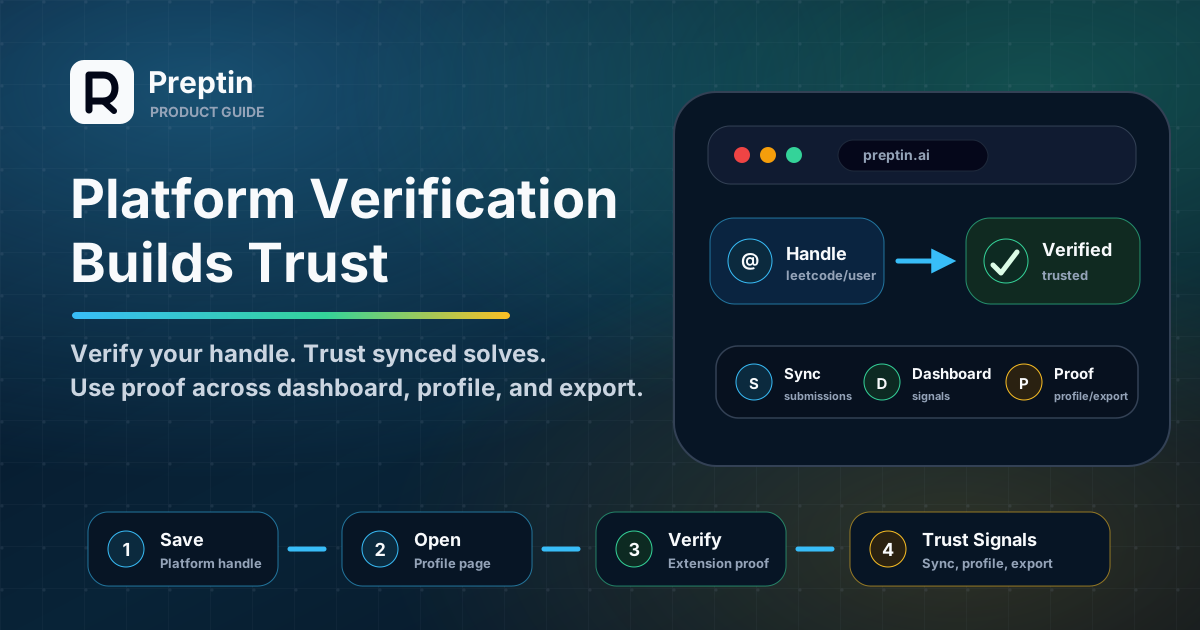
Platform verification is one of those setup steps that can feel small until you understand what it protects.
You enter a coding-platform handle. Preptin asks you to verify it. The browser extension may open or guide you to a public profile page. A status changes from pending to verified.
At first, that can look like extra friction.
But verification exists for a simple reason: if Preptin is going to use platform activity for progress, readiness, public proof, challenge completion, or export workflows, it should first know that the platform account actually belongs to you.
This guide explains what platform verification means, how the extension fits in, and what to check if verification does not complete.
The Short Version
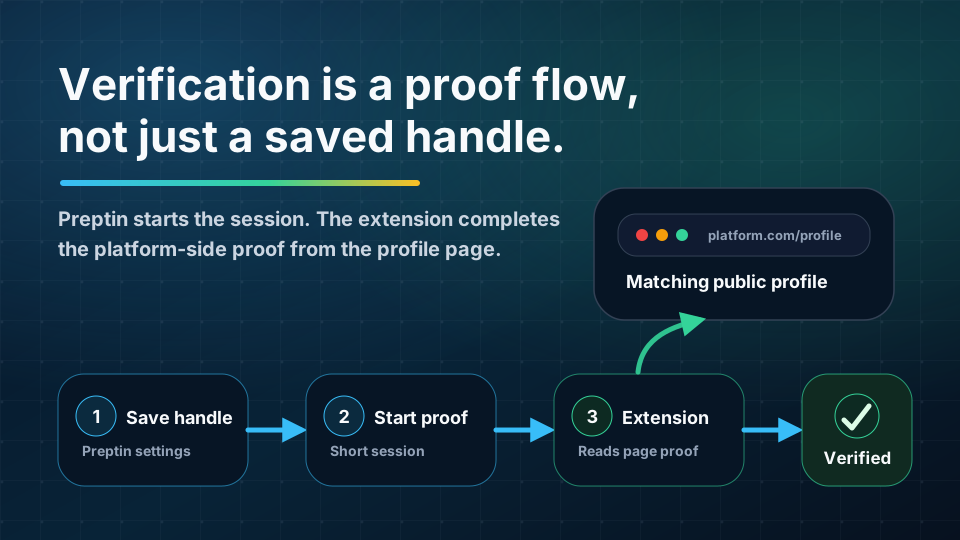
Platform verification confirms that a coding-platform identity belongs to your Preptin account.
The basic flow is:
- You add your platform handle in Preptin.
- Preptin starts a verification session for that handle.
- The browser extension helps complete proof from the supported platform page.
- Preptin marks the platform handle as verified when the proof checks out.
- Verified activity can be trusted more confidently across sync, dashboard, profile, and export features.
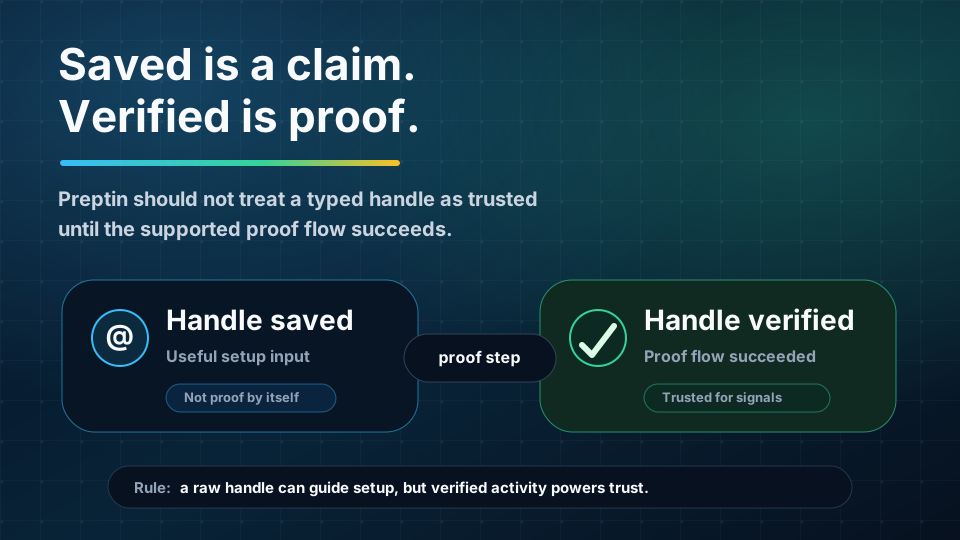
A raw handle is only a claim. A verified handle is stronger evidence.
That difference matters when your activity is used beyond a private text field.
Why Verification Exists
Most coding platforms expose public profiles. If someone knows a handle, they can type it into a form.
That does not mean the handle belongs to them.
Preptin needs a stronger signal because platform identity can affect important product surfaces:
- Accepted submissions.
- Dashboard activity.
- Readiness and weak-area signals.
- Prep Challenge and Daily Challenge progress.
- Interview Prep Sheet progress.
- Public profile proof of work.
- GitHub export or progress artifacts where enabled.
If Preptin accepted any typed handle as trusted, a user could accidentally or intentionally attach the wrong platform history to their account.
Verification reduces that risk.
It helps Preptin answer:
- Does this coding-platform account belong to this Preptin user?
- Should this platform activity count toward their progress?
- Can this activity influence recommendations and readiness?
- Can this progress appear on public proof surfaces?
- Can this activity be used in export workflows?
The point is not to make setup harder. The point is to keep the rest of the system honest.
What Verification Proves
Platform verification does not prove that every future submission will be perfect, complete, or instantly synced.
It proves a narrower but important thing:
This Preptin user has completed a supported proof flow for this platform handle.
That gives Preptin a better foundation for interpreting platform activity.
Here is the difference:
| State | What It Means | How Preptin Should Treat It |
|---|---|---|
| Handle added | You typed a platform username or profile URL | Useful as setup input, but not trusted proof by itself |
| Verification pending | Preptin started a proof session | Follow the extension/profile-page step before relying on it |
| Verified | The proof step succeeded for that platform handle | Stronger basis for sync, progress, profile, and export signals |
| Failed | Preptin could not prove the handle in that attempt | Check account, extension, profile page, and retry |
| Stale or changed | The saved handle no longer matches previous proof state | Save the correct handle and verify again where supported |
The important rule is simple:
Do not treat a raw handle as verified just because it was saved.
Saved means Preptin knows what account you want to connect. Verified means Preptin has completed a proof flow for it.
Where the Browser Extension Fits
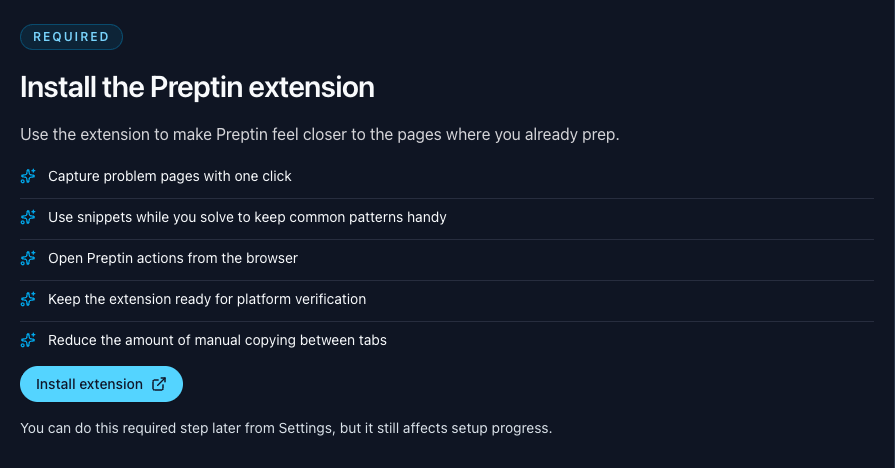
The browser extension is important because verification often needs context from the coding-platform page itself.
The web app can let you enter a handle and start a verification session. But the extension can sit on the supported platform page and help complete the proof step from the browser context where the profile is visible.
That usually means:
- You save the platform handle in Preptin.
- You click verify.
- Preptin starts a short-lived verification session.
- You open the relevant coding-platform profile page.
- The extension checks the page context and submits proof back to Preptin.
- Preptin refreshes the platform status.
The extension is not there to replace the coding platform. You still solve on LeetCode, Codeforces, CodeChef, GeeksforGeeks, or another supported platform.
The extension helps Preptin understand enough context to connect your platform account safely.
What Happens During Verification
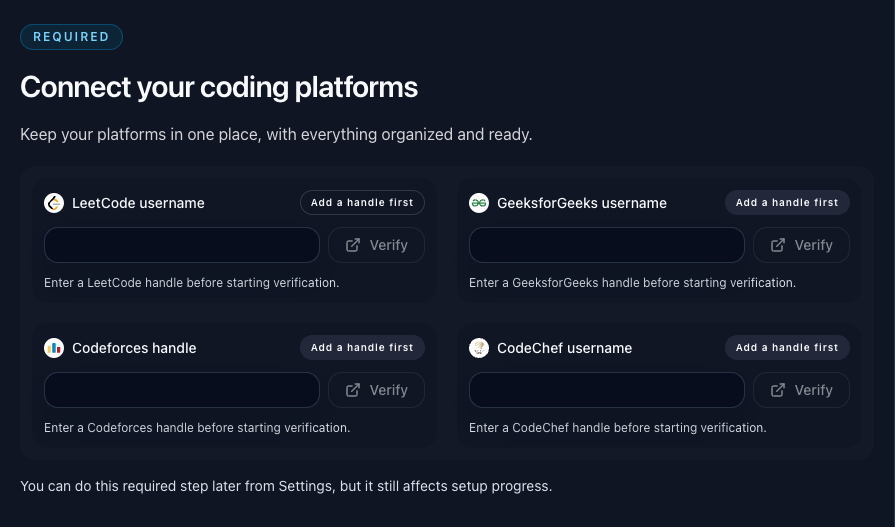
A verification attempt usually has three moving parts:
- Preptin web app: starts the verification and shows the current status.
- Preptin backend: creates the verification session and checks proof.
- Preptin browser extension: completes the proof step from the supported platform page.
You do not need to understand every internal detail, but the product behavior is easier to follow if you know the roles.
The web app starts the process. The extension finishes the platform-side proof. The backend records whether the proof was accepted.
That is why you may see messages such as:
- "Save and verify this handle with the browser extension."
- "Verification is pending."
- "Open the platform profile page in the extension to finish it."
- "Verified."
- "Verification failed."
If verification is pending, it usually means the backend is waiting for the extension to complete the proof step.
Why Verified Handles May Be Locked
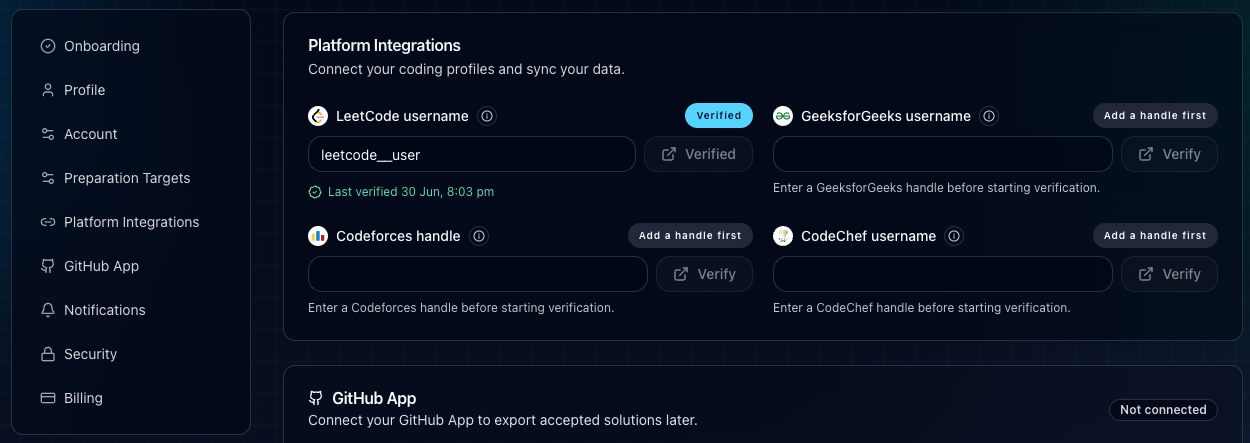
Once a platform handle is verified, Preptin may lock or protect that handle.
That is intentional.
If verified handles could be edited casually, proof would become weaker. A user could verify one account, change the handle to another account, and make the product appear to trust activity it has not actually verified.
If you entered the wrong handle, fix it before completing verification. If your platform account changes later, you may need a re-verification or support flow depending on the product state.
The safest habit is:
- Copy the handle from your public profile URL or profile header.
- Save it carefully.
- Verify only after you are sure it is the account you want Preptin to use.
How Verification Helps Submission Sync
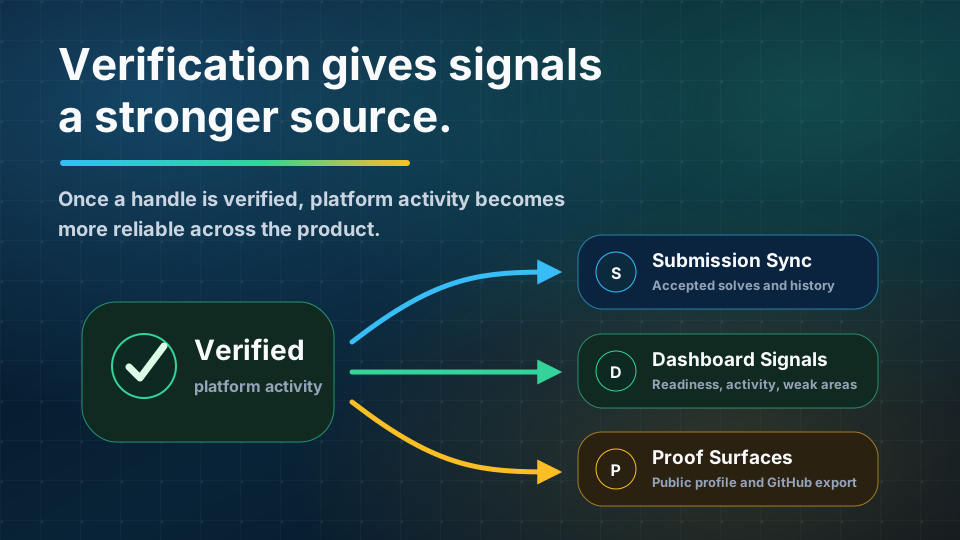
Accepted submissions are one of the strongest signals in Preptin.
They can tell the system what you solved, when you solved it, which topic it belongs to, and whether it should update progress or revision.
Verification makes that signal more trustworthy.
Without verification, Preptin may know that a handle was typed into settings. With verification, Preptin has stronger evidence that the platform account belongs to the current user.
That matters when submissions influence:
- Solved progress.
- Recent activity.
- Topic coverage.
- Revision anchors.
- Challenge completion.
- Recommendation completion.
- Public proof surfaces.
Submission sync and verification are separate concepts, but they support each other. Sync brings in activity. Verification helps Preptin trust the account behind that activity.
How Verification Helps the Dashboard
The dashboard is only as useful as the signals behind it.
If Preptin shows readiness, focus topics, streaks, recommendations, revision due, or activity summaries, those signals should come from reliable inputs.
Verified platform activity gives the dashboard a better foundation.
For example:
- A verified accepted solve can strengthen recent activity.
- Verified platform progress can make topic coverage more believable.
- Verified history can make recommendations less random.
- Verified submissions can support readiness direction more confidently.
Verification does not make the dashboard perfect. It simply improves the trustworthiness of one of its most important inputs.
How Verification Helps Public Profile and GitHub Export
Private guidance is one thing. Public proof is another.
When progress appears outside your private dashboard, trust matters even more.
Your public Preptin profile may show practice activity, progress, platform connection state, recent solves, or other proof-of-work signals where enabled. GitHub export can help preserve selected accepted solutions or progress artifacts as a code trail where configured.
Those features are stronger when the underlying platform account has been verified.
The idea is straightforward:
- Private dashboard signals help you decide what to do next.
- Public profile signals help make your effort visible.
- GitHub export can help preserve proof of work.
- Verification helps make those signals more credible.
That is why platform verification is not only a setup checkbox. It is part of the trust layer behind proof-of-work features.
What If Verification Is Stuck?
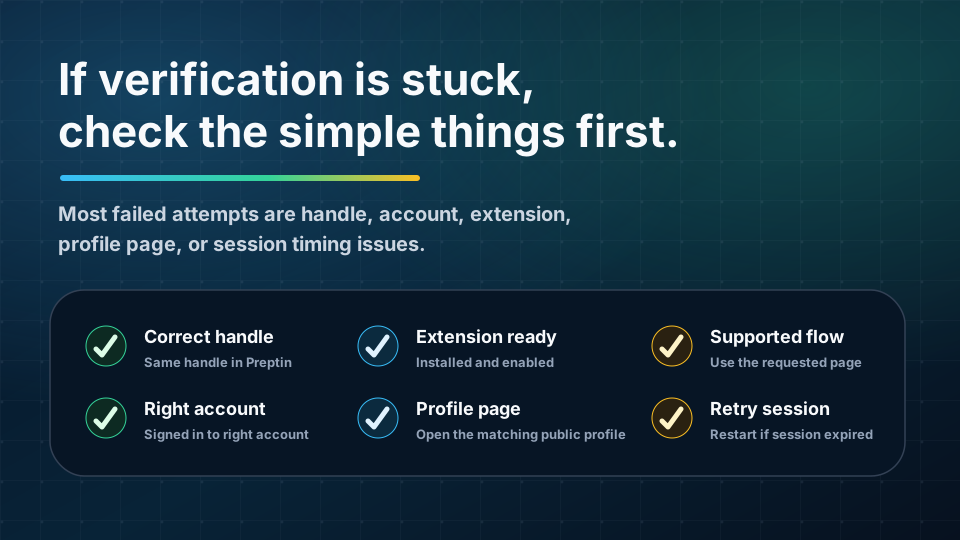
Most verification issues are caused by a small mismatch somewhere in the flow.
Start with this checklist:
- Confirm the platform handle is correct.
- Make sure you are logged in to the right Preptin account.
- Make sure the browser extension is installed and enabled.
- Make sure the extension is signed in if the flow requires it.
- Open the public profile page for the same handle you saved.
- Check that you are on a supported platform page.
- Wait a moment and refresh Preptin settings.
- Retry verification if the previous session expired.
Small details matter here. For example, if you saved one handle but opened a different profile page, proof may fail. If the extension cannot run on the platform page, it may not be able to complete the proof step. If the verification session expires, you may need to start again.
The best approach is to keep the flow simple:
Save handle. Start verification. Open the matching profile page. Let the extension complete the proof. Return to Preptin and refresh if needed.
What Verification Does Not Mean
Verification is useful, but it is not magic.
A verified platform account does not mean:
- Every old submission will sync instantly.
- Every platform field will be available.
- Every problem will map perfectly on the first attempt.
- Every accepted solve proves interview readiness.
- Your public profile or export should expose everything automatically.
Verification answers the identity question. Other systems still handle sync support, problem matching, revision, recommendations, visibility settings, and export configuration.
Think of verification as the foundation, not the full building.
A Practical Example
Imagine you are setting up Preptin with your LeetCode profile.
You paste your LeetCode username in settings. At this point, Preptin knows the handle you want to connect, but it should not treat it as proof yet.
You start verification. Preptin creates a pending verification session and asks you to finish it with the extension.
You open your public LeetCode profile page in the browser where the Preptin extension is installed. The extension reads the relevant page context and sends proof back to Preptin.
If the proof matches, Preptin marks the handle as verified.
After that, accepted submissions from supported flows can become more trustworthy inputs for:
- Submission history.
- Dashboard activity.
- Revision scheduling.
- Recommendations.
- Challenge progress.
- Public profile proof.
- GitHub export, where enabled.
The user experience is a few clicks. The product impact is much larger: Preptin can now treat that platform identity with more confidence.
Frequently Asked Questions
Is platform verification the same as email verification?
No. Email verification confirms your email address. Platform verification confirms a coding-platform handle, such as a LeetCode or Codeforces account, where supported.
Both improve trust, but they protect different parts of the product.
Do I need the browser extension for verification?
For extension-assisted flows, yes. The extension helps complete proof from the supported platform page.
If Preptin tells you to open a platform profile page in the extension, keep the extension installed, enabled, and signed in.
Can I use Preptin without platform verification?
You can use many parts of Preptin without completing every platform verification step. You can browse problems, follow recommendations, use sheets, start challenges, and configure setup.
But verified platform activity gives Preptin a stronger foundation for sync, dashboard signals, public proof, and export workflows.
Why did verification fail?
Common reasons include:
- The saved handle is wrong.
- You opened a different platform profile.
- You are logged in to the wrong account.
- The extension is not installed or enabled.
- The extension cannot run on the current page.
- The verification session expired.
- The platform page did not expose the proof Preptin expected.
Most failed attempts can be fixed by checking the handle, restarting verification, opening the correct profile page, and letting the extension complete the proof.
What happens if I change a verified handle?
Changing a verified handle can make the previous proof invalid. In some flows, verified handles may be locked to protect trust. If your platform account genuinely changes, you may need to re-verify or use the supported account-change flow.
Does verification mean Preptin owns my platform account?
No. Verification only helps Preptin confirm that the platform handle belongs to you for product features. You still own and control your coding-platform account.
Does the extension read unrelated browsing history?
The extension is designed for supported coding-platform and Preptin workflows. Its role is to help with verification, problem context, submission capture where enabled, snippets, and revision surfaces. It should not be treated as a general browsing-history tracker.
Final Takeaway
Platform verification is the trust step between "I typed this handle" and "Preptin can rely on this platform identity."
It helps Preptin use your coding-platform activity more responsibly across submission sync, dashboard signals, revision, recommendations, public profile, and GitHub export.
If setup asks you to verify a platform, it is not busywork. It is Preptin making sure the progress it uses actually belongs to you.