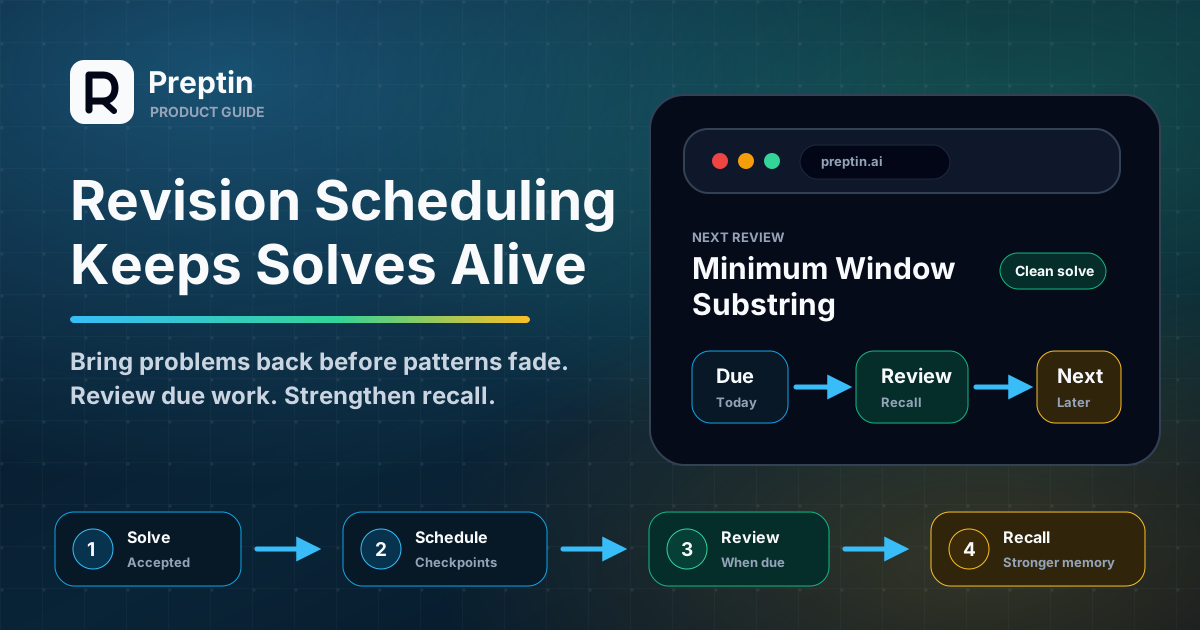
Most candidates do not fail revision because they dislike revision.
They fail it because solved problems disappear.
You solve a sliding-window problem today. It feels clear. A week later, the exact same pattern feels half familiar, half gone. You remember the idea, but not the edge cases. You remember that there was a trick, but not why it worked.
That gap is where revision scheduling helps.
Preptin's revision system is designed to keep solved problems from becoming silent history. It turns selected problems and accepted submissions into timed checkpoints, then brings them back when they are worth reviewing.
This guide explains how revision scheduling works in Preptin, what the different lanes mean, and how to use the revision queue without turning it into another stressful to-do list.
The Short Version
Revision scheduling is Preptin's way of answering one practical question:
Which solved problem should come back before I forget it?
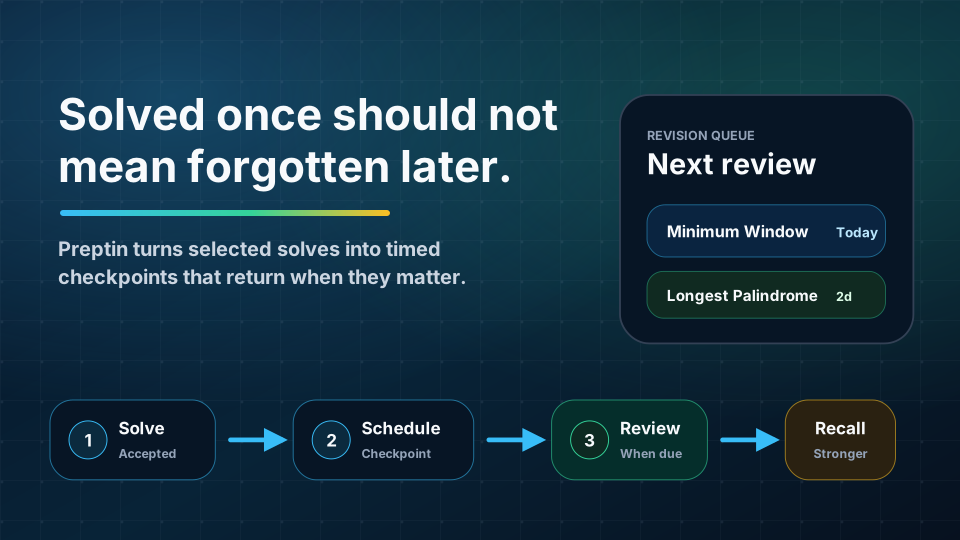
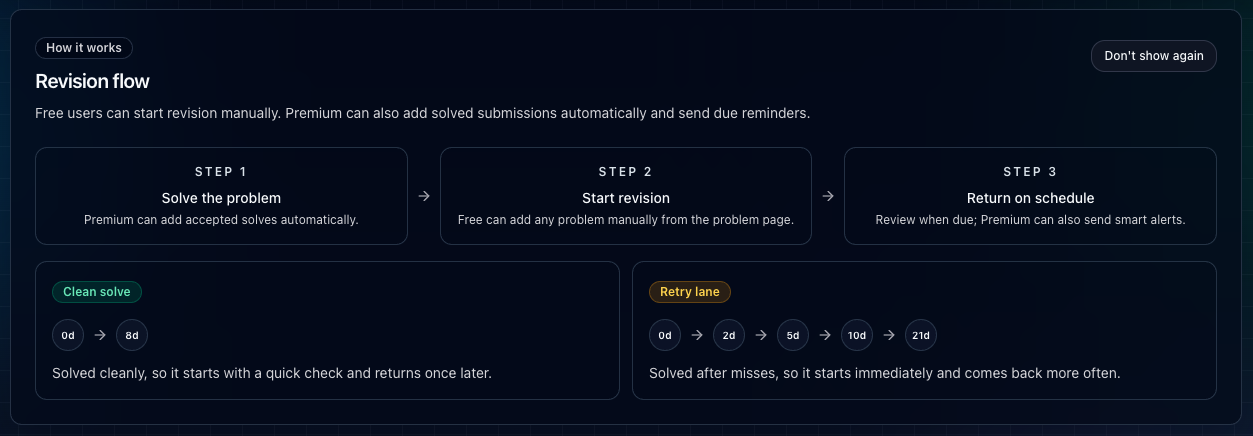
The basic flow is:
- You solve or choose a problem for revision.
- Preptin creates a problem-level revision plan.
- The plan gets one or more checkpoint dates.
- Due items appear in the revision queue.
- You review the problem, then either move forward or delete future checkpoints.
- Revision activity feeds broader signals such as dashboard readiness, focus topics, and proof surfaces where available.
The goal is not to revise everything forever. The goal is to bring back the problems that are most likely to fade.
Why Revision Scheduling Exists
A solved count is useful, but it can be misleading.
Solving 200 problems does not guarantee that you can recall the patterns during an interview. Some problems become part of your toolkit. Others only feel solved because the explanation is still fresh.
Revision scheduling protects against that false confidence.
It helps answer:
- Which problems should I revisit today?
- Which older solves are about to fade?
- Which topics are weak because I keep avoiding or forgetting them?
- Which problems were clean solves and which ones needed retries?
- What should I review before solving something new?
In interview prep, remembering a pattern at the right time matters more than recognizing it after reading the solution again.
That is why Preptin treats revision as part of readiness, not a side habit.
Where the Revision Queue Lives
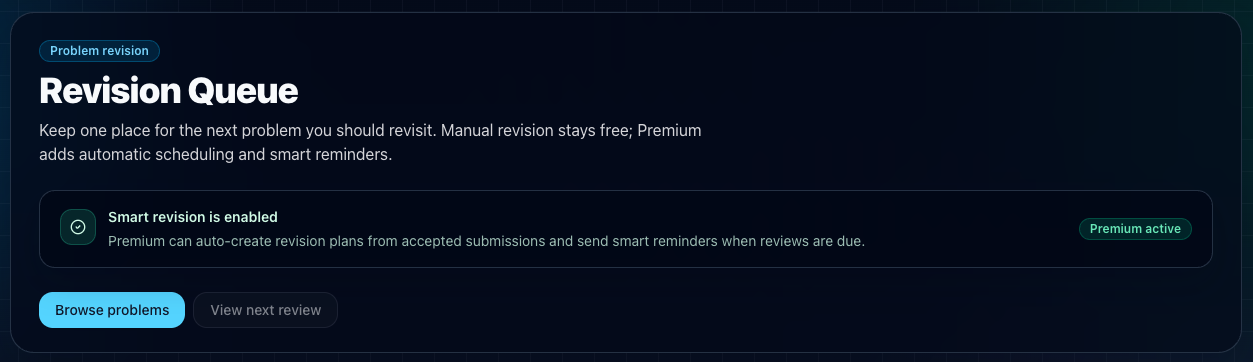
The main revision surface is the Revision Queue.
It gives you one place to see the next problem you should revisit. The queue is intentionally simple:
- Due now: problems that need attention today.
- Upcoming: active revision plans scheduled for a later checkpoint.
- Next review: the nearest problem that should come back.
- Manual revision: free users can add problems to revision manually.
- Smart revision: Premium can auto-create plans from accepted submissions and send smart reminders.
This matters because revision often fails when it is invisible.
If your review plan only lives in memory, you have to remember to remember. Preptin keeps due work visible in the app so revision becomes easier to act on.
How a Revision Plan Starts
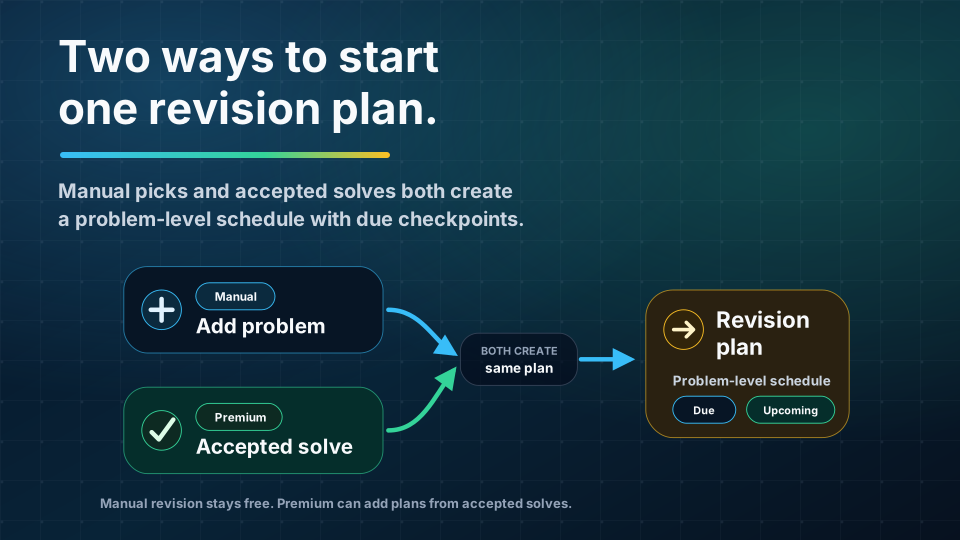
A revision plan is tied to a problem.
It can start in two main ways:
- Manual revision: you add a problem to revision from a problem page, revision surface, or supported extension flow.
- Smart revision: Premium can create or refresh revision plans from accepted submissions.
Manual revision is useful when you know a problem deserves another pass. Maybe it exposed a gap. Maybe it is a classic pattern. Maybe it belongs to a company or role you care about.
Smart revision is useful when you want accepted solves to become future review automatically. Instead of solving and forgetting, the accepted submission becomes an anchor for a future checkpoint.
The important detail is that revision is problem-level. Preptin is not just reminding you that "DSA revision" exists. It is keeping a concrete problem visible with a concrete next due time.
Clean Solve vs Retry Lane
Preptin does not treat every solve the same way.
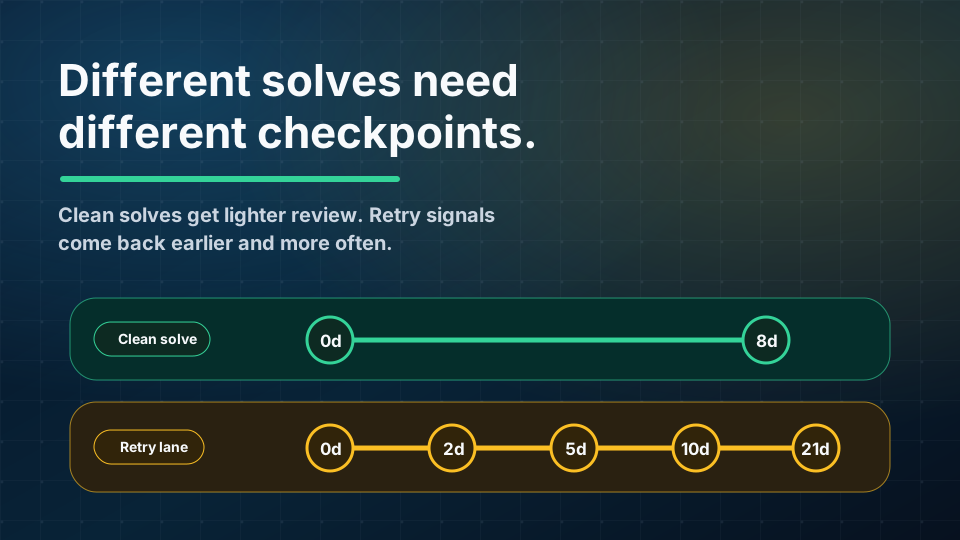
The current revision model uses two lanes:
- Clean solve: the problem was solved cleanly, so it gets a lighter review path.
- Retry lane: the problem had misses, multiple attempts, or revision-like behavior, so it comes back more often.
In the current schedule:
- A clean solve gets one checkpoint after 8 days.
- A retry lane gets checkpoints after 2, 5, 10, and 21 days.
- A manually added problem currently starts in the clean-solve lane.
That split is important.
If a problem was easy and clean, it may only need a quick future check. If a problem took multiple attempts or exposed a weak pattern, it deserves earlier and repeated review.
This is how revision becomes more useful than a flat reminder list. The schedule should respond to the strength of the solve.
What Due and Upcoming Mean
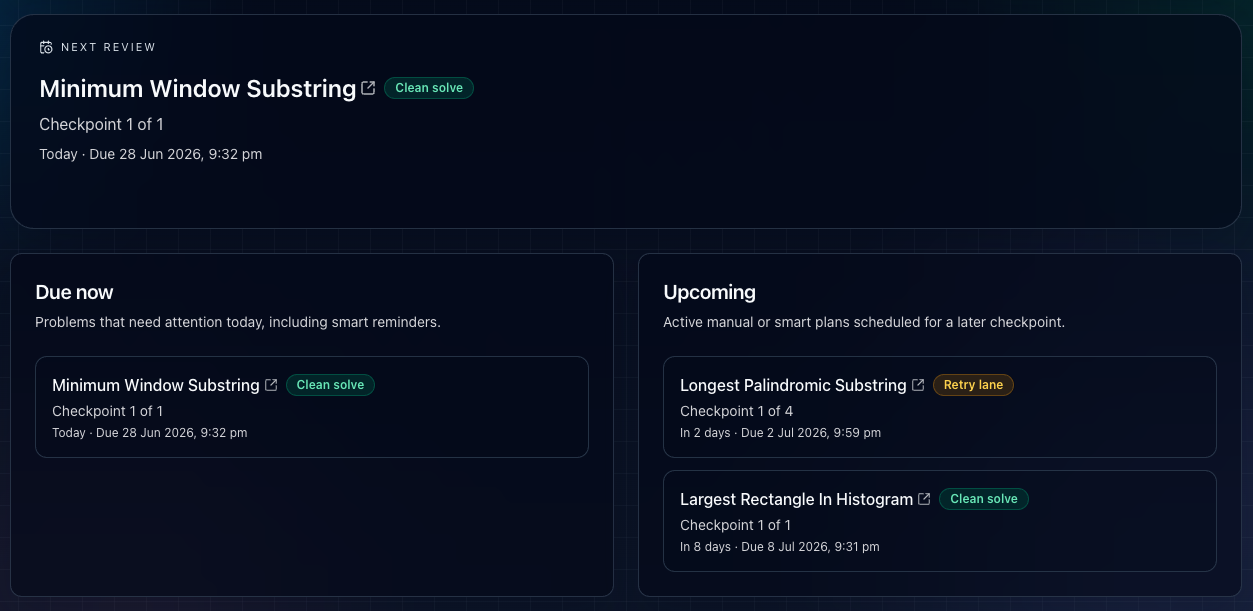
The revision queue separates work into two simple buckets.
Due now means the next checkpoint has reached today or is already overdue. These are the items worth reviewing before you chase new problems.
Upcoming means the plan is active, but its next checkpoint is still in the future. You do not need to force it today.
This keeps the queue from becoming noisy.
Instead of staring at every problem you have ever solved, you only see the revision work that has a reason to be visible now.
The queue also shows helpful context:
- Problem title.
- Lane, such as clean solve or retry lane.
- Checkpoint progress.
- Relative due date.
- Exact due date.
- Actions to open, skip, or delete future checkpoints.
That context helps you decide whether to review now, open the problem, or clean up a plan that no longer matters.
What to Do When a Problem Is Due
When a problem appears in the due queue, do not treat it as a passive reading task.
The best revision flow is active:
- Open the problem.
- Try to recall the pattern before reading your old solution.
- Write the approach in your own words.
- Re-solve or dry-run the key part.
- Check what you forgot.
- Move the checkpoint forward or remove future checkpoints if the plan is no longer useful.
Revision is not about proving that you once solved the problem.
It is about checking whether the pattern is still available under pressure.
How Revision Actions Work
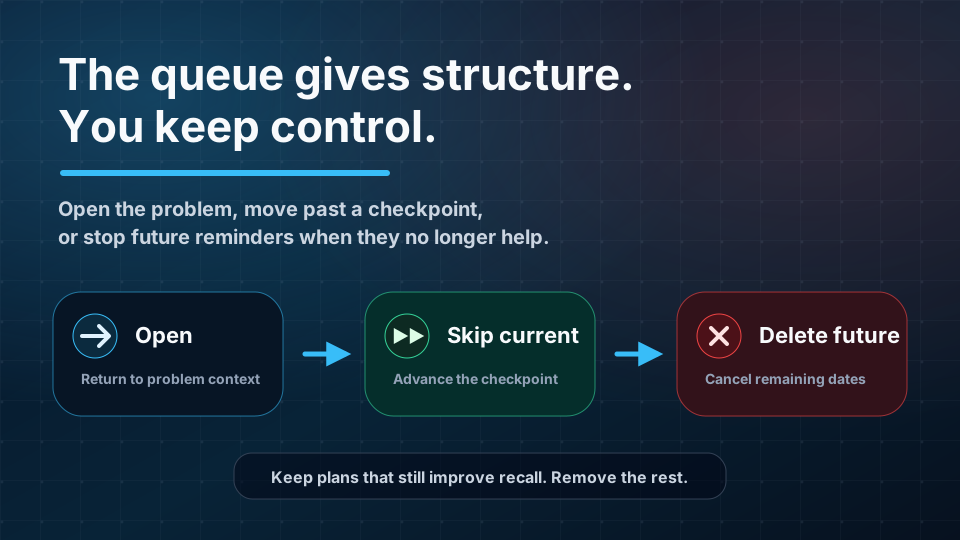
Preptin gives you a few direct actions around revision plans.
Open problem takes you back to the problem so you can review with context.
Skip current advances the current checkpoint. Use it when you already reviewed the problem, or when you intentionally want to move past the current due item.
Delete future cancels remaining checkpoints. Use it when the problem no longer needs scheduled review, or when you want to stop tracking that plan.
These actions keep revision flexible.
The schedule gives structure, but you still control whether a plan should continue.
How the Browser Extension Helps
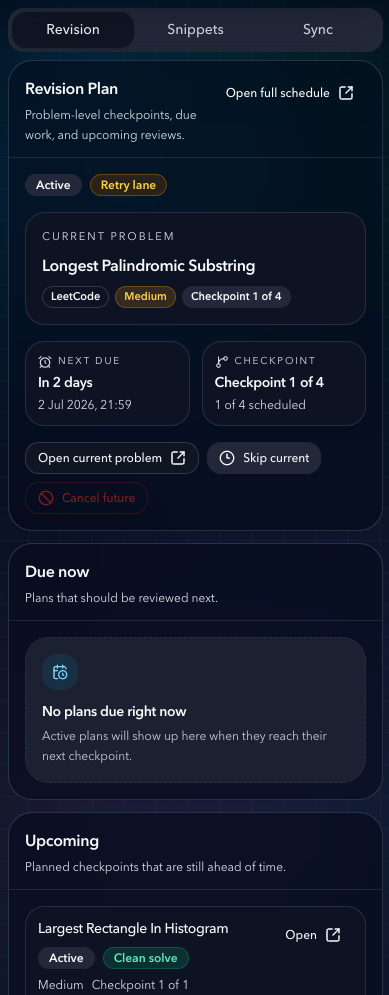
Revision is more useful when it stays close to where you solve.
The Preptin browser extension can show revision context while you are near supported coding-platform workflows. That matters because many candidates do not start practice from the main dashboard every time. They open LeetCode, Codeforces, CodeChef, or GeeksforGeeks first.
With the extension, revision can feel less like a separate chore:
- You can see the current problem context.
- You can see revision-plan details.
- You can open the full revision schedule.
- You can notice due or upcoming work while already in solving mode.
- You can keep snippets, sync, and revision closer to the platform page.
The extension does not replace the revision queue. It makes the queue easier to reach from the places where practice already happens.
How Revision Connects to the Dashboard
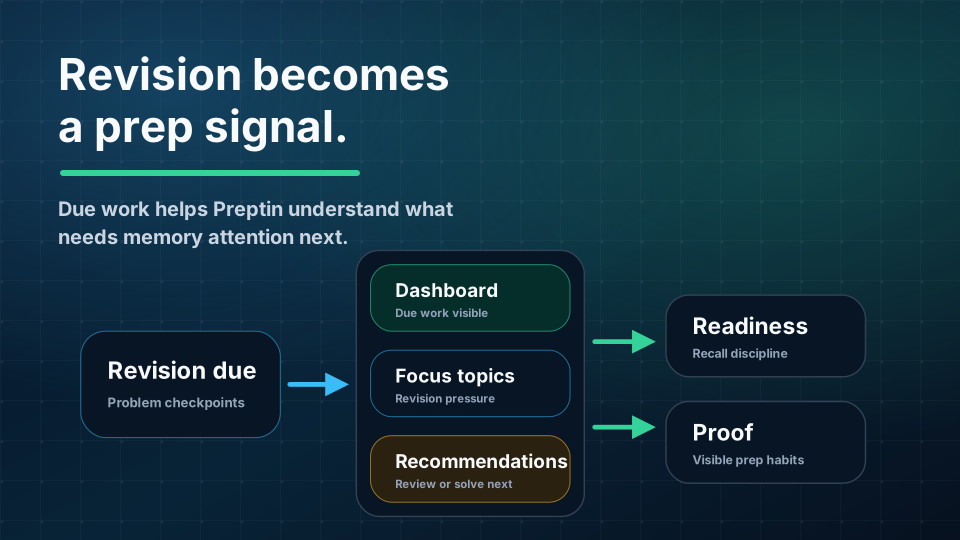
Revision is not isolated from the rest of Preptin.
Due revision can influence how the product understands your prep state.
For example:
- The dashboard can show revision due.
- Focus topics can include revision pressure.
- Recommendations can account for problems or topics that need review.
- Readiness can reflect revision discipline.
- Public profile and proof surfaces can show stronger preparation behavior where enabled.
This is why revision matters beyond the queue itself.
Someone who only solves new problems may grow their count while forgetting older patterns. Someone who reviews due problems is building a more reliable prep base.
Preptin tries to make that difference visible.
Manual Revision vs Smart Revision
Manual revision and smart revision solve different problems.
Manual revision is for control. You decide that a problem deserves a future review and add it yourself.
Smart revision is for continuity. Premium can use accepted submissions to create or refresh revision plans automatically, then surface due reminders when the checkpoint arrives.
Both are useful.
Manual revision is best when:
- You know the problem was important.
- You want to revisit a company-relevant problem.
- You want to review a pattern before an interview.
- You solved outside an auto-supported flow.
Smart revision is best when:
- You solve regularly and do not want to manually maintain a review list.
- You want accepted submissions to become future memory checks.
- You want reminders when review becomes due.
- You want revision to stay connected to your real practice history.
The healthy setup is simple: use manual revision for intentional picks, and let smart revision catch the solves you would otherwise forget.
A Practical Example
Imagine you solve three problems this week:
- Minimum Window Substring: solved cleanly.
- Longest Palindromic Substring: needed retries.
- Largest Rectangle in Histogram: solved cleanly but important for your target.
Preptin may treat them differently.
Minimum Window Substring can get a lighter clean-solve checkpoint. Longest Palindromic Substring can go into the retry lane because it took more work. Largest Rectangle in Histogram can be kept in the upcoming queue so it returns later.
Now your revision day is not random.
You are not opening a giant old list and asking, "What should I review?"
You are looking at a queue that says, "This problem is due. This one is coming later. This one was harder and deserves more checkpoints."
That is the shift.
What Revision Is Not
Revision scheduling is helpful, but it is not magic.
It does not guarantee that you will remember every solution. It does not replace understanding. It does not mean every solved problem deserves permanent review.
Revision also should not become a way to avoid new problems forever.
Good prep needs both:
- New problems to expand coverage.
- Revision to keep important patterns alive.
If all you do is solve new problems, older patterns fade. If all you do is revise, coverage stops growing.
Preptin works best when revision sits inside the larger prep loop: solve, sync, review, learn from weak areas, and choose the next useful action.
Common Mistakes
Treating Revision as Rereading
Rereading your old solution feels efficient, but it often skips the hard part.
Try recall first. Then read. The gap between what you remembered and what you had to look up is the actual revision signal.
Keeping Every Plan Forever
Not every problem needs repeated review.
If a problem is now obvious, delete future checkpoints. The queue should stay useful, not bloated.
Ignoring Retry Lane Items
Retry lane items are often the most valuable.
They are the problems that already proved they can break your recall. Review them before they become invisible again.
Solving Only New Problems
New problems feel productive because the solved count moves.
But interviews often punish weak recall more than low volume. Due revision is how you keep earlier work usable.
Frequently Asked Questions
Do I need Premium to use revision?
No. Manual revision stays free. You can add problems to revision and use the queue. Premium adds automatic revision plans from accepted submissions and smart due reminders.
What creates a clean-solve lane?
A clean solve is used when the problem does not show retry signals. In the current schedule, it gets one checkpoint after 8 days.
What creates a retry lane?
Retry lane is used when there are signals such as wrong attempts, multiple attempts, revision attempts, or revision-mode behavior. In the current schedule, it gets checkpoints after 2, 5, 10, and 21 days.
What happens when I skip the current checkpoint?
Skipping advances the active plan to the next checkpoint. If there are no future checkpoints left, the plan can complete.
What happens when I delete future checkpoints?
Deleting future checkpoints cancels the active plan and clears the next due date. Use it when the problem no longer needs scheduled review.
Does revision affect recommendations?
Revision can contribute to broader product signals. Due revision and revision history can help Preptin understand where attention is needed, alongside submissions, weak topics, readiness, challenges, and target context.
Should I revise before solving new problems?
If something is due today, usually yes. A short active review before new practice can protect old gains while still leaving time for new coverage.
Final Takeaway
Revision scheduling exists because solved problems fade.
Preptin turns important solves into timed review checkpoints, keeps due work visible, and connects revision back to the rest of your prep system.
Use it to keep your prep honest:
- Add important problems manually.
- Let accepted submissions become memory anchors where smart revision is available.
- Prioritize due work before it piles up.
- Treat retry lane items seriously.
- Delete future checkpoints when a plan has served its purpose.
That is how revision stops being a vague intention and becomes part of interview readiness.